
TONIGHT’S GAME · FREE BROWSER CO-OP
Four players.Five minutes.Hold the light.
Dodge monster waves together in a free 2D browser survival game. No download. Keyboard + touch.
No account needed. Guest results aren’t saved or ranked.
Each player needs an account for private co-op and saved future results.
Gameplay is free. Optional cosmetics remain planned.
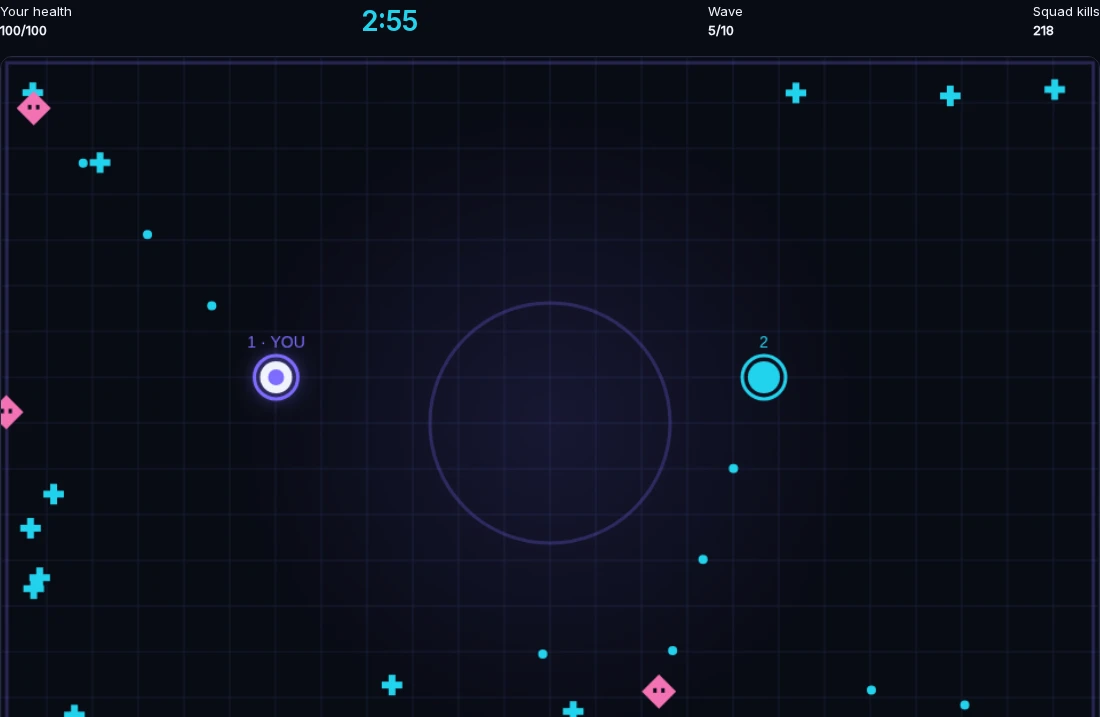
1 · Violet Browser one2 · Cyan Browser twoWave 5 Shared survival
Two separate browser sessions in one private squad. An internal test round, not customer activity.
See the same round from player 2’s browser
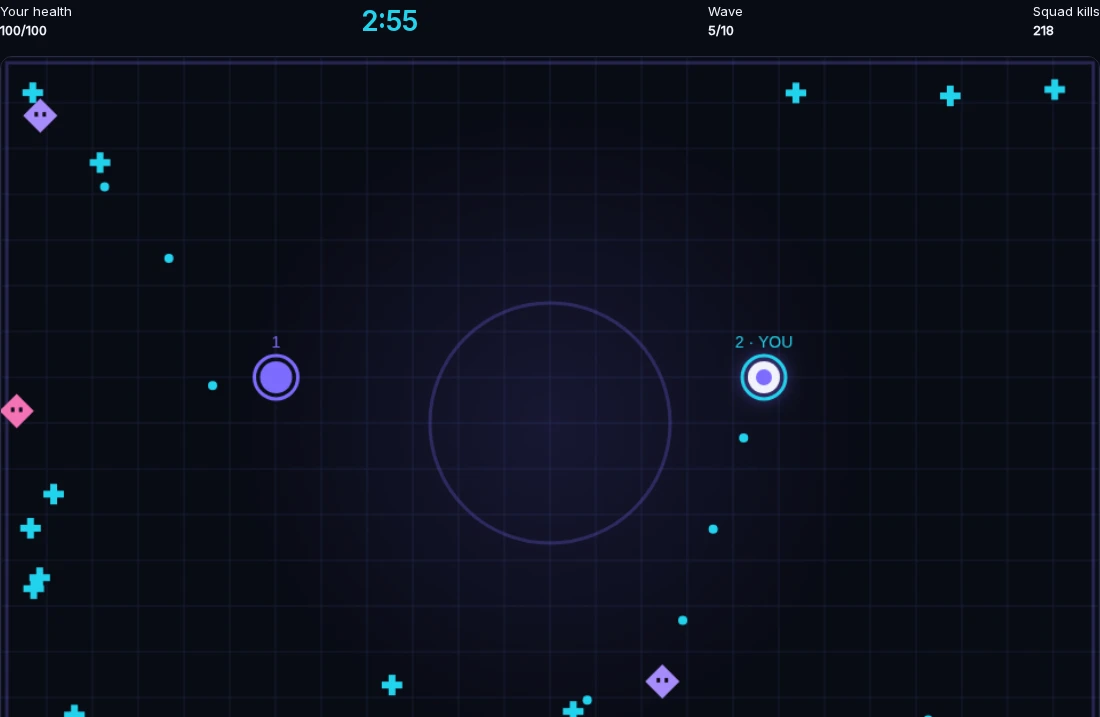
Two views, captured moments apart. Each browser marks its own player “YOU”; the arena and squad are shared. View full size ↗
Your light auto-fires at monsters. Move with WASD, arrows or the touch pad; use Space or the touch button for a light burst. Collect cyan health drops and keep moving.
TRY IT BEFORE YOU INVITE
Feel the survival. Then bring friends.
This is a real solo trial, not co-op. Select Play guest solo inside the arena to start; nothing plays automatically. No account needed, and guest rounds aren’t saved or ranked. Private co-op needs an account for each player.
Move with WASD, arrows or the touch pad. Your light auto-fires; use Space or Light burst for breathing room. Pause with Escape or the Pause button, then resume when you’re ready.
Select Expand arena for more room without starting over. If the arena doesn’t load, open normal guest play below.
Loading guest arena… If it doesn’t appear, open normal guest play below.
Ready to play together? Start your private squad ↗ The joining steps below show how to invite friends and ready up.
FROM GROUP CHAT TO FIRST WAVE
Get everyone into one round.
Each friend plays in their own browser on a separate device — not shared-keyboard or split-screen play. Bring one to four players; the room is private, not public matchmaking.
Create your squad
Open private squad entry, create an account or sign in, then select Create private squad. Your lobby shows an invite link and a 10-character room code.
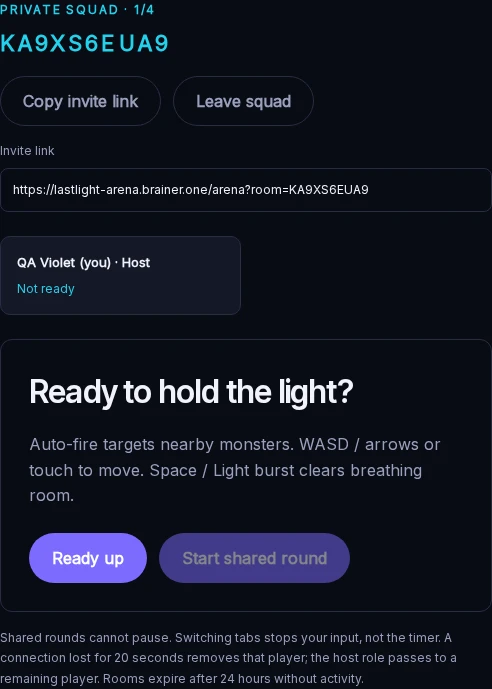
Host’s browser · room created Send the invite
Select Copy invite link and send it to up to three friends. Each friend uses their own account and browser on a separate device. Open the link to join, or enter the code under Room code and select Join squad.
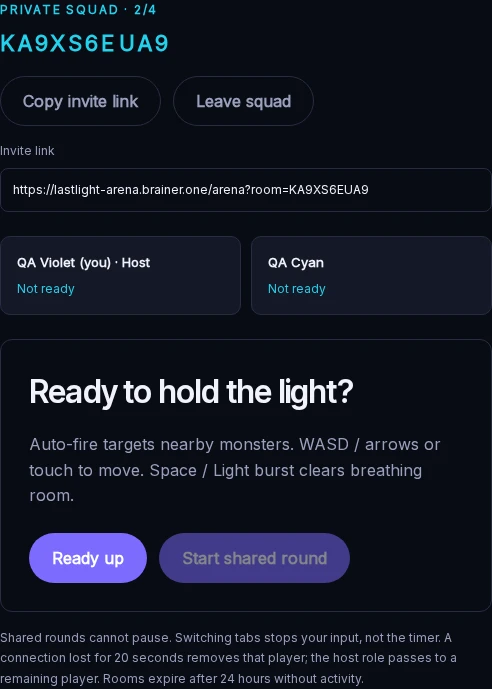
Friend joined · same squad roster Ready up. Hold the light.
Everyone marks ready; the host starts. Select Ready up on each device, then the host selects Start shared round. Survive the same five-minute waves, see your shared result and replay together.
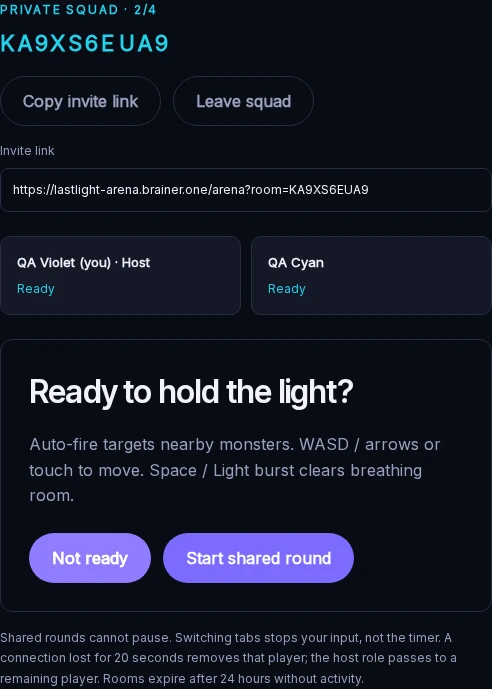
Both ready · host can start
Actual lobby captures from two separate internal QA browsers, not customer activity. These test accounts and their round were excluded from rankings and removed after capture. Select any image to inspect it full size; the pictured room is no longer active.
Before your first wave
- What does each friend need?
- Their own device, browser and account. No download. Guest solo is account-free, but it cannot join a squad.
- How do we move and fire?
- Use WASD or arrow keys on a keyboard, or the on-screen touch pad. Your light fires automatically at nearby monsters. Use Space or the Light burst touch button to clear breathing room.
- Can we share a screen or find strangers?
- No split-screen, shared-keyboard play or public matchmaking. Invite your own friends to a private squad of up to four players.
Want to feel the controls first? Play guest solo → Or start your private squad ↗ when everyone is ready.
ONE SQUAD. A SCORE TO CHASE.
Make the next stand count.
Completed account rounds stay in your private history. Public team rankings use each exact squad roster’s best server-validated round, excluding solo and internal tests. Bring the same friends back and chase your next best score.