Co-op vs multiplayer: choose the right mode for your friends
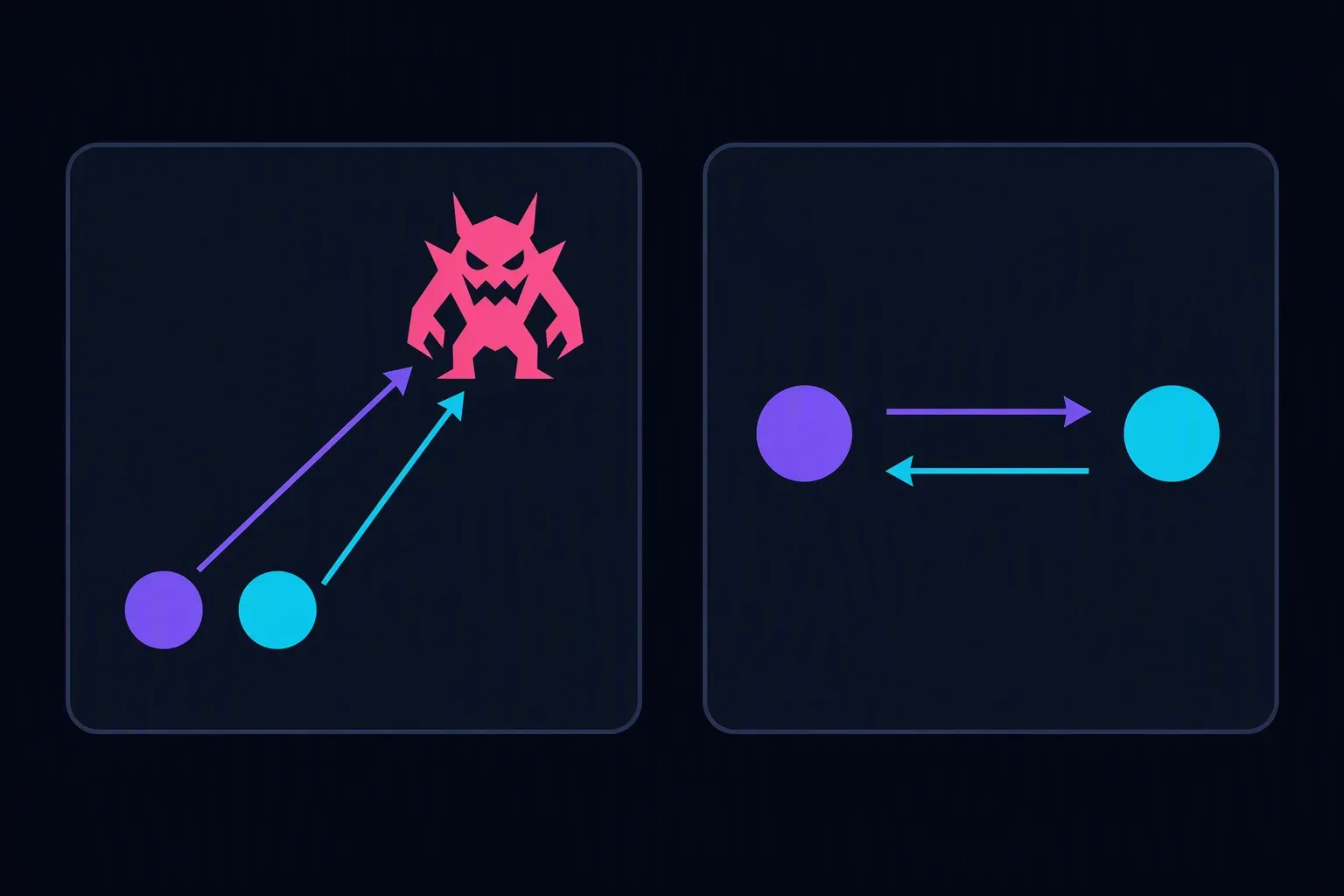
Co-op means players work toward a shared goal; multiplayer means more than one person plays in the same game environment. Co-op is a type of multiplayer, not its opposite. If you want to fight monsters together from separate devices, look for online co-op—then check the player limit and how you invite friends.
Co-op vs multiplayer: check who you're playing against
The useful distinction is the goal, not the number of people on screen.
- Multiplayer: more than one person can participate. It doesn't guarantee your friends will be on your side.
- Co-op: players work together toward a shared objective. It doesn't guarantee online play, private rooms, or four-player support.
- PvP (player versus player): players compete against other players. It may use teams rather than being every player for themselves.
- PvE (player versus environment): players face game-controlled enemies or challenges. It doesn't guarantee co-op; a solo game can also be PvE.
Two friends defending an arena against monsters are playing co-op. Two friends duelling each other are playing competitive multiplayer. Two friends on the same team fighting another human team are playing team PvP: they're cooperating with each other, but the opposing side is human.
A game can offer several of these modes. Check the mode you intend to start, not just the broad “multiplayer” label. Co-Optimus's terminology guide uses co-op for players working together against AI opponents, rather than team-versus-team PvP.
Online and local tell you how players connect
Co-op tells you what you're doing together. Online or local tells you how you connect.
- Local co-op: usually means sharing one device, using separate controls on a shared or split screen. Check the game's wording: LAN play is a different arrangement, with devices on a local network.
- Online co-op: lets players connect over the internet. It doesn't automatically mean cross-platform support or a private invite system.
- LAN co-op: connects devices on a local network. Don't assume a friend in another home can join it as an internet match.
The multiplayer overview on Wikipedia distinguishes same-system, local-network and internet play. Competitive multiplayer can be local, too: two people playing against each other on one device don't need an online match.
Browser-based only tells you where a game runs. It doesn't promise online multiplayer, touch controls, or compatibility between a phone and a laptop.
Check these five things before sending the link
- Find the exact mode. Look for online co-op if everyone has a separate device and wants to face the game together.
- Read the mode's player limit. A game may support many players overall but only two in its co-op mode.
- Confirm friend joining. Look for a documented room code, invitation, lobby link or friend system. Public matchmaking alone may not keep your group together.
- Check devices and controls. Confirm supported browsers, keyboard or controller requirements, and any account or download requirement for each player.
- Test with one friend. Create a session, invite them, and confirm you can see each other inside the same match before gathering the whole group.
Opening the same game homepage on two devices can start two independent sessions. Send the game's actual invitation or room code, not just its homepage address.
Example: four friends, four laptops, one shared objective
Suppose four friends in different homes want to survive enemy waves together. A listing that says “two-player local co-op” won't fit: it describes the wrong connection setup and too few players.
“Online multiplayer, up to four players” is still incomplete. Read the mode description: those four players might be opponents. Look for four-player online co-op, then verify the invite flow.
Have one person create a room and a second person join using the documented method. Start a test round. If both appear on the same side against the game-controlled enemies, invite the remaining two and confirm the room accepts all four. If someone lands in a separate match, return to the lobby and check the room code before trying again.
For this group, choose a verified four-player online co-op mode with a working way to join friends. Save local co-op for a shared-device session, and choose PvP when you want human opponents.
Once you've chosen wave survival, use our guide to keeping an escape lane open to plan movement and team calls; it also offers optional solo movement and burst practice.
For a concrete browser example, see Lastlight Arena's browser co-op game and joining guide. Friends use separate devices and join a private room by invite link or code—not a shared keyboard, split screen or public matchmaking. Their shared objective is to survive five-minute monster waves together, rather than fight each other. The frame below shows two players in the same arena, not two independent solo sessions.
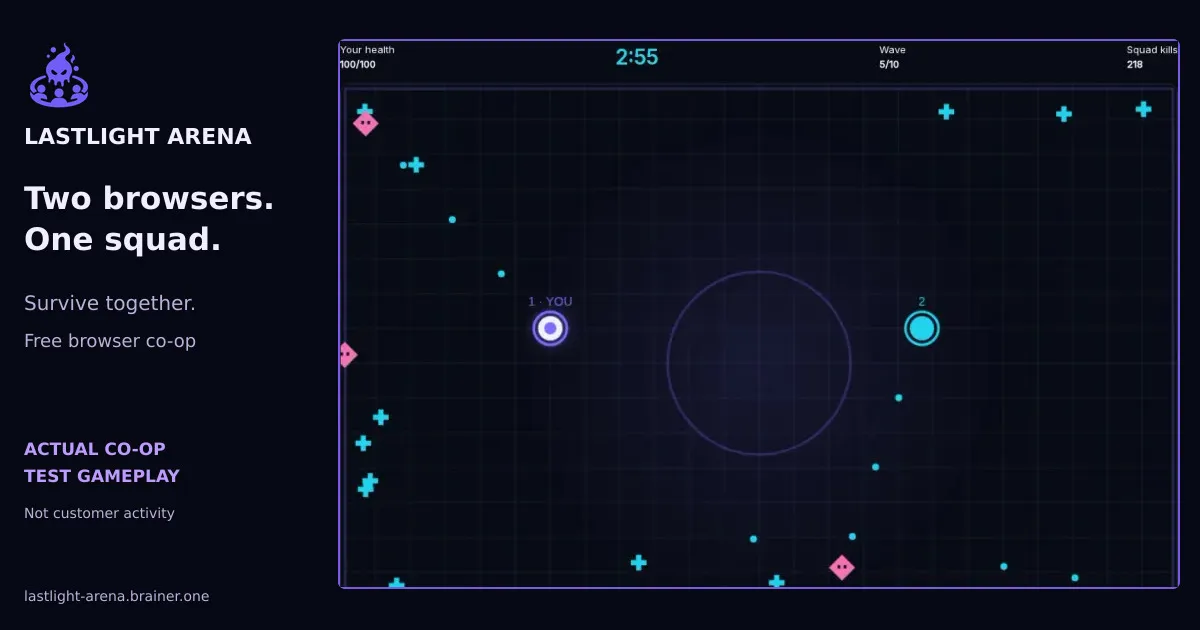
Actual two-player co-op test gameplay from separate browser sessions in the same private squad. Not customer activity; this capture shows two players, not a full four-player squad.
Try the survival mechanics solo
Try moving away from monsters and using your light burst in the playable example below. This is solo PvE, not a multiplayer demonstration: it lets you feel the survival mechanics before inviting friends. Private co-op needs separate devices and an account for each player.
Choose Play guest solo when you're ready; the example doesn't start playing or make sound automatically. Guest rounds need no account and aren't saved or ranked. Use the on-screen controls on a phone or the keyboard controls shown in the game; pause when you want to return to reading.
If the embedded game doesn't load or its controls don't work in your browser, play guest solo on the normal play page.
Ready to bring friends? Create an account for private co-op and saved future results, then use the joining guide to invite your squad.